If GTA 6 looks too dark, grey or washed out, check four places in this order: the in-game Brightness Calibration, the game's HDR settings, your console's HDR settings, then your TV's picture mode.
On launch day, players on Reddit described their game as dark and grey, said the brightness setting changed nothing, and asked why their game looked gloomier than streamers'. Rockstar has not published a fix, but the settings below cover almost every case.
Checked 19 November 2026. We update this page when Rockstar or a patch changes the picture settings.
By Vicedex, an independent GTA 6 reference. How we check and report a mistake.
1. The in-game Brightness Calibration
The game asks for brightness the first time you start it. ViceManual, which says it set the game up on its own PS5 on 18 November, describes it as one slider, Brightness Level, with a symbol in a dark square. You move the slider until the symbol is barely visible. If you rushed past that screen, it is the first thing to redo.
- Pause the game and open Settings.
- Move along the tabs with L1 and R1 (LB and RB on Xbox) to Display.
- Open Brightness Calibration at the top of the list.
- Raise Brightness Level until the symbol in the dark square is just visible, no further.
The same Display tab has a Brightness Reduction option, which is off by default, according to ViceManual's settings list. If the picture is dim everywhere, check it has not been switched on.
2. The game's HDR settings
GamerBolt says the Display menu has an HDR Calibration screen with three sliders: Maximum Brightness, Black Levels and Paper White. ViceManual's list of the Display tab does not show it, so it may only appear when your console is sending an HDR signal. If you see it:
- Set Maximum Brightness by following the pattern on screen, so the brightest detail is just visible on your TV.
- Set Black Levels so the darkest pattern is only just visible. Too high and blacks turn grey.
- Use Paper White for overall brightness of the picture and menus. Raise it if the whole game feels dim.
Grey, flat blacks usually mean Black Levels is set too high, or that the console and TV disagree about the signal (step 3).
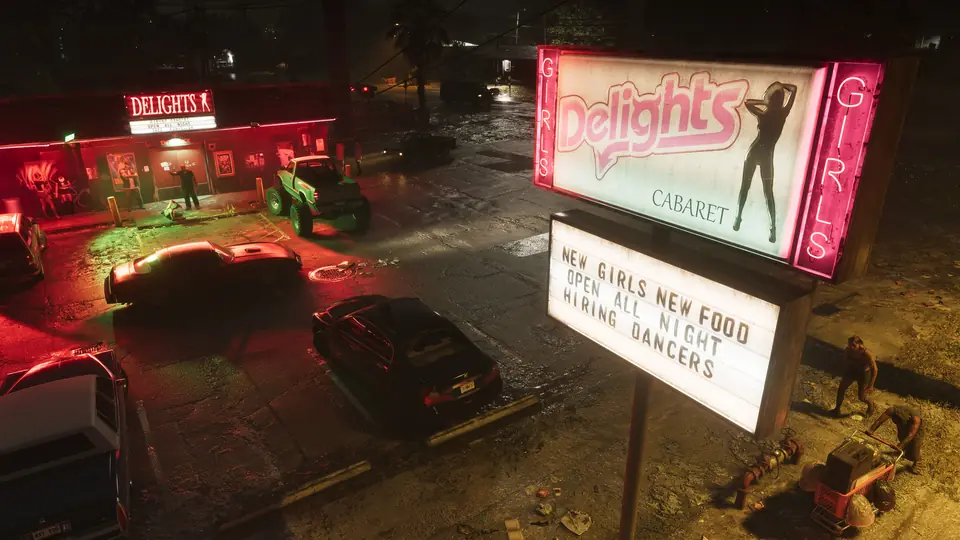
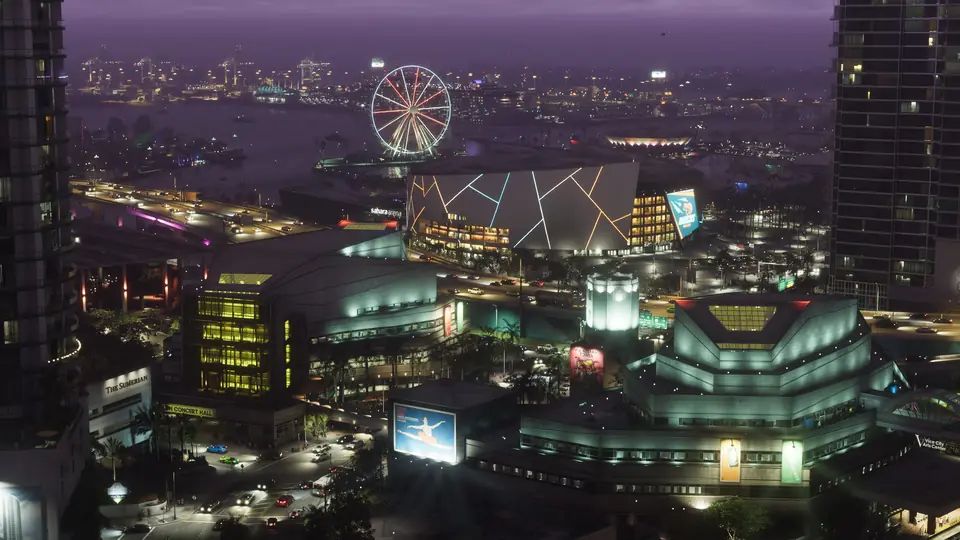
On how the HDR is made: SlashGear, reporting Digital Foundry's tests, says the game appears to use inverse tone mapping, with BT 2020 colour and a peak of at least 1,500 nits. Digital Foundry found the contrast at night close to photorealistic on a properly set up display. So the game is meant to be dark at night. A street lit only by neon should look like one.
3. Your console's HDR settings
On PS5, Sony's own support page gives two settings, both under Settings, Screen and Video, Video Output:
- HDR: On When Supported or Always On. On When Supported shows non HDR games in SDR. Always On converts everything to HDR.
- Adjust HDR: the console's own calibration screens. Run it first, then the game's own settings.
On Xbox Series X and Series S, the system has an HDR Game Calibration app, which Microsoft added in 2020. Find it under Settings, General, TV and display options, then Calibrate HDR for games.
You will also see advice on Reddit to change the PS5's colour format or RGB range. Players disagree about it because the right answer depends on the TV. Leave it on Automatic unless your TV's manual says otherwise.
4. Your TV
- Turn on the TV's Game mode. GamerBolt recommends it, and it is the mode most TVs expect HDR games in.
- Turn off motion smoothing, which GamerBolt also advises.
- Make sure HDR is enabled on the HDMI port the console uses. Some TVs call this enhanced HDMI or deep colour.
- Watch out for an eco or ambient light setting that dims the picture in a dark room.
If it still looks different from a streamer
Streams and videos are usually recorded and shown in SDR, which is brighter in the shadows than a well set up HDR picture. A game that looks moodier on your TV than on YouTube is not always set up wrong.
Quick answers
Why is GTA 6 so dark?
The game is designed with dark nights and strong contrast, which Digital Foundry described as close to photorealistic. If it looks dark during the day too, redo the in-game Brightness Calibration and your console's HDR calibration, and check the TV is in Game mode.
Why does GTA 6 look washed out?
Grey blacks usually mean the game's Black Levels setting is too high, or the console and TV disagree about the HDR signal. Run the console's HDR calibration first, then the game's.
Where is the brightness setting in GTA 6?
Pause the game, open Settings, move to the Display tab and choose Brightness Calibration at the top.
Has Rockstar fixed the GTA 6 brightness problem?
Not as of 19 November 2026. Rockstar has not published a fix or a patch note about brightness. Players are reporting it, and we will update this page if a patch changes it.
Sources
- GTA 6 first time setup, ViceManual, updated 19 November 2026
- GTA 6 settings, ViceManual, updated 19 November 2026
- GTA 6 best settings for PS5 and Xbox Series X|S, GamerBolt, 19 November 2026
- Does GTA 6 perform differently on an HDR TV?, SlashGear, 19 November 2026
- How to enable HDR on a PS5 console, PlayStation Support, read 19 November 2026
- New HDR calibration feature rolled out to Xbox Insiders, Pure Xbox, August 2020
- My game is so dark and grey washed, Reddit, r/GTA6unmoderated, 18 November 2026
- GTA VI brightness doesn't change at all, Reddit, r/GTA6unmoderated, 18 November 2026
- Anyone else's game gloomy compared to streamers?, Reddit, r/GTA6unmoderated, 18 November 2026